



Introduction
Airports are designed to move enormous volumes of people efficiently, but that doesn’t mean the experience feels efficient when you’re the one standing in line. Between check-in counters, security checkpoints, long terminal walks, and gate changes, even a well-planned trip can eat up far more time than necessary — especially if you’re not using the tools and strategies that experienced travelers rely on.
The difference between a stressful, rushed airport experience and a smooth, efficient one often comes down to a handful of specific decisions made before you even leave your house. Frequent flyers don’t have some secret insider access — they’ve simply learned which shortcuts, programs, and habits genuinely save time, and which ones are just myths.
This guide breaks down ten airport hacks that are backed by real data, official program details, and practical logistics — not vague “pro tips” that sound good but don’t hold up in practice. Whether you fly once a year or once a month, these strategies can shave anywhere from a few minutes to several hours off your total airport time.
Quick Reference: The 10 Airport Hacks at a Glance
| # | Hack | Time Saved | Best For |
| 1 | TSA PreCheck / Global Entry / CLEAR | 10–40 minutes | Frequent flyers, families, anyone flying 2+ times/year |
| 2 | Mobile boarding pass + airline app | 5–15 minutes | Every traveler |
| 3 | Strategic security line selection | 5–25 minutes | All travelers, especially at busy hubs |
| 4 | Off-airport or remote parking with pre-booking | 15–45 minutes | Drivers |
| 5 | Packing to avoid bin removal (PreCheck-style packing) | 3–10 minutes per bag | Carry-on-only travelers |
| 6 | Booking flights during off-peak hours/days | 20–60 minutes (cumulative wait time) | Flexible travelers |
| 7 | Using airport maps and terminal apps | 5–20 minutes | Unfamiliar airports, tight connections |
| 8 | Pre-ordering food or using grab-and-go apps | 10–30 minutes | Hungry travelers on tight schedules |
| 9 | Choosing the right seat/exit row for deplaning speed | 5–15 minutes | Tight connections |
| 10 | Real-time flight tracking and gate alerts | Variable (prevents missed gate changes) | All travelers |
Hack 1: Enroll in TSA PreCheck, Global Entry, or CLEAR
The Problem It Solves
Standard security lines are the single biggest time drain at most airports, and wait times are notoriously unpredictable. A traveler without expedited screening might breeze through in 10 minutes on a quiet Tuesday morning or wait 45+ minutes during a holiday rush — with no way to know in advance which scenario they’ll face.
Real Numbers
According to TSA data, PreCheck lanes average under 10 minutes, with the vast majority of PreCheck travelers waiting 5 minutes or less, compared to standard lanes that can regularly exceed 20–30 minutes at major hubs during peak periods.
| Program | Cost | Validity | What It Skips |
| TSA PreCheck | ~$78 | 5 years | Shoe/belt/laptop removal, shorter dedicated lines |
| Global Entry | ~$120 | 5 years (includes PreCheck) | PreCheck benefits + expedited U.S. customs re-entry |
| CLEAR | ~$189/year (often discounted via credit cards) | Annual | Identity verification line only — still requires TSA screening after |
How to Use This Hack
- Apply for TSA PreCheck if you fly domestically more than once or twice a year. The application involves a short online form, a background check, and an in-person appointment (often available same-day or within a few days at enrollment centers located in many airports and retail locations).
- Apply for Global Entry instead of PreCheck if you also travel internationally — it costs slightly more but includes PreCheck automatically and adds expedited customs re-entry into the U.S., cutting a process that can otherwise take 30–60+ minutes down to a few minutes via automated kiosks.
- Combine CLEAR with PreCheck for maximum speed — CLEAR verifies your identity via biometrics and walks you directly to the front of the PreCheck (or standard) screening line, skipping the ID-check queue entirely.
- Check if your credit card covers the application fee. Many premium travel credit cards offer a statement credit (often every 4–5 years) that fully covers Global Entry or PreCheck enrollment.
- Add family members where eligible — some programs allow children under a certain age to use PreCheck lanes with an enrolled parent without separate enrollment.
Pro Tip
Global Entry interviews sometimes have long appointment wait times at popular locations (occasionally several weeks to a couple of months out). Apply as early as possible, and check for “Enrollment on Arrival” options at select airports, which let approved applicants complete their interview upon landing from an international trip rather than booking a separate appointment.
Hack 2: Use Mobile Boarding Passes and Your Airline’s App
The Problem It Solves
Printing a boarding pass at a kiosk or counter — or worse, waiting in line for an agent to print one — adds unnecessary time and an extra point of failure (forgotten printouts, kiosk malfunctions, lost paper passes) to your airport process.
How to Use This Hack
- Download your airline’s app before your trip and enable notifications for gate changes, delays, and boarding updates.
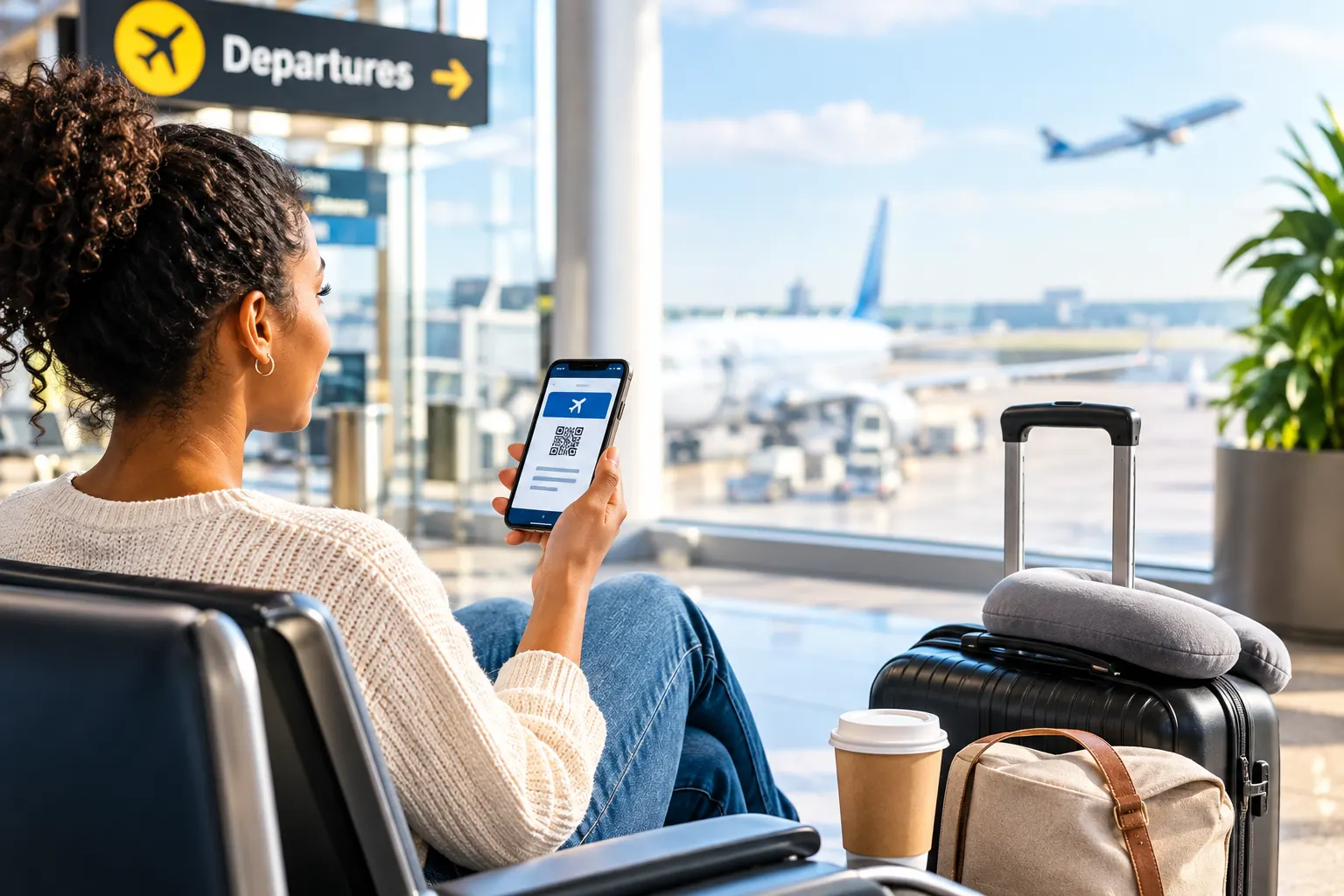
- Check in exactly when check-in opens (typically 24 hours before departure) directly through the app to receive your mobile boarding pass immediately.
- Add your boarding pass to your phone’s digital wallet (Apple Wallet, Google Wallet) as a backup — this ensures it’s accessible even without an internet connection or if the airline’s app has issues.
- Screenshot your boarding pass as a secondary backup in case of app crashes or dead battery concerns — though carrying a portable phone charger is a better long-term solution (see Bonus Tips).
- Use the app for real-time gate information rather than relying solely on physical airport monitors, which can occasionally lag behind live updates.
Pro Tip
Many airlines’ apps also show real-time security wait times and terminal maps, letting you make informed decisions about which entrance or checkpoint to use before you even arrive at the airport.
Hack 3: Choose Your Security Line Strategically
The Problem It Solves
Not all security lines move at the same pace, even within the same airport. First-time and infrequent flyers often default to whichever line looks shortest by headcount, without realizing that line composition and checkpoint type matter far more than the number of people in front of them.
How to Use This Hack
- Avoid lines with large families or groups traveling with small children, strollers, or medical equipment — not because they’re doing anything wrong, but because these situations statistically take longer per person to process through screening.
- Look for a checkpoint with more open lanes, even if it means walking slightly farther. A checkpoint with 6 open lanes and 40 people will almost always move faster than a checkpoint with 2 open lanes and 25 people.
- Ask a TSA agent (the one directing the line, not screening bags) which checkpoint is moving fastest if the airport has more than one — they typically know in real time.
- Use terminal-specific checkpoints if your airport has multiple entrances; some checkpoints, particularly those farther from the main entrance, are consistently less crowded.
- Check your airport’s live security wait time tool, if available, via the MyTSA app or the airport’s official website.
Pro Tip
If you have PreCheck or CLEAR, don’t default to the nearest checkpoint out of habit — walk to whichever checkpoint has the shortest expedited-screening line, even if it means a few extra minutes of walking. The time saved at the checkpoint almost always outweighs the walk.
Hack 4: Pre-Book Off-Airport or Remote Parking
The Problem It Solves
On-site airport parking is often the most expensive option and can also be the most time-consuming during peak travel periods, with shuttle waits and full garages adding unpredictable delays before you’ve even entered the terminal.
Real Numbers
| Parking Type | Average Daily Cost | Typical Shuttle Wait | Booking Flexibility |
| On-airport garage | $20–$45/day | N/A (walk to terminal) or short shuttle | Usually no reservation needed |
| On-airport economy lot | $12–$25/day | 5–15 minutes | Sometimes reservable |
| Off-airport private lots | $8–$18/day | 5–20 minutes (often more frequent shuttles) | Reservable in advance, often with guaranteed spots |
How to Use This Hack
- Pre-book parking through a reservation platform rather than driving up and hoping for availability — this guarantees a spot and often locks in a lower rate than drive-up pricing.
- Compare off-airport private lots, which are frequently cheaper than on-site options and often include amenities like covered parking, car washes, or luggage assistance at no extra cost.
- Check shuttle frequency before booking — some off-airport lots run shuttles every 10 minutes, while others may run every 20–30 minutes, which matters if your flight time is tight.
- Use rideshare or airport drop-off for short trips if parking costs exceed round-trip rideshare fares, which is common for trips of 3 days or fewer.
- Sign up for a parking loyalty program if you fly from the same airport regularly — many offer expedited pickup, reserved spaces, or discounted rates for frequent users.
Pro Tip
If driving yourself, check whether your airport offers a cell phone lot for picking up arriving passengers — this lets a driver wait nearby for free rather than circling the terminal, and it works both ways: if someone is dropping you off, having them use short-term parking briefly (rather than idling at departures) can avoid congestion-related delays getting you to the curb.
Hack 5: Pack Your Carry-On to Avoid Bin Removal
The Problem It Solves
Even travelers without PreCheck can significantly speed up their security experience by packing strategically, reducing the number of items that need to be removed, repacked, and rescanned.
How to Use This Hack
- Pack electronics larger than a cell phone in an easily accessible pocket or a dedicated “electronics” section of your bag, so you’re not digging through your entire carry-on at the checkpoint.
- Use a clear, quart-sized liquids bag placed near the top of your carry-on rather than buried underneath clothing, so it can be pulled out in seconds.
- Wear slip-on shoes to avoid the extra step (and time) of untying and retying laces.
- Avoid stuffing your bag to capacity — an overpacked bag is harder to remove items from quickly and more likely to need manual rescanning if items are obscured on the X-ray image.
- Use packing cubes or clear pouches for small items (chargers, cables, toiletries) so screening officers can visually identify contents faster if a manual check is needed, reducing back-and-forth.
Pro Tip
If you frequently forget what’s “extra” in your bag (a forgotten water bottle, an oversized liquid, etc.), do a 60-second “security check” of your carry-on the night before your flight, mentally walking through what needs to come out at the checkpoint.
Hack 6: Fly During Off-Peak Days and Times
The Problem It Solves
Airport congestion isn’t evenly distributed throughout the week or day — certain windows are consistently busier, leading to longer security lines, more crowded gate areas, and higher odds of delays cascading from a busy hub.
Real Numbers
Historical TSA throughput data consistently shows patterns like:
- Busiest travel days: Sundays and Fridays, driven by weekend leisure travel and business traveler return patterns.
- Busiest times of day: Early morning (6–9 a.m.) and late afternoon/early evening (4–7 p.m.), when the highest concentration of flights depart.
- Lightest travel windows: Tuesday and Wednesday flights, and midday departures (roughly 10 a.m.–2 p.m.), tend to see shorter security lines and less crowded terminals.
- Holiday peak days (the Sunday after Thanksgiving, the days immediately before December 25, and early January) can see security wait times 2–3 times longer than typical off-peak days.
How to Use This Hack
- Book midweek flights (Tuesday/Wednesday) when your schedule allows, especially for leisure travel where dates are flexible.
- Choose midday departure times over early-morning or early-evening slots if minimizing airport congestion matters more than arrival time.
- Avoid flying on the Sunday before or the day immediately after major holidays if at all possible — these are consistently the highest-volume days of the year.
- Check your specific airport’s historical congestion data, if published, since patterns can vary by region and airport size.
Pro Tip
Even if your flight time is fixed, avoiding the absolute peak security rush (typically the top of each hour, when multiple flights cluster their boarding calls) by arriving slightly earlier or navigating to a less crowded checkpoint entrance can help you dodge the worst of the congestion.
Hack 7: Use Airport Maps and Terminal Apps Before You Arrive
The Problem It Solves
Unfamiliar airports — especially large international hubs with multiple terminals — can cost travelers significant time simply through disorientation: walking the wrong direction, missing a shuttle between terminals, or not realizing a security recheck is required after a layover.
How to Use This Hack
- Review your airport’s terminal map in advance, available on most major airports’ official websites or through apps like your airline’s app or dedicated airport navigation apps.
- Identify your departure terminal and gate as early as possible — many airlines display this information at check-in, well before you arrive.
- Check whether your layover requires a terminal change, an inter-terminal train, or a security recheck, particularly at large hub airports where this is common and easy to underestimate time-wise.
- Locate key amenities in advance (restrooms, food options, charging stations) near your specific gate, rather than wandering to find them once you’re already pressed for time.
- Use indoor wayfinding features in select major airports’ apps, which function similarly to GPS navigation but for terminal interiors.
Pro Tip
For connections at unfamiliar international airports, search in advance whether the airport is known for long inter-terminal walks or transfers (some hub airports are notorious for this). A few minutes of research can prevent a stressful sprint between gates.
Hack 8: Pre-Order Food or Use Airport Delivery Apps
The Problem It Solves
Grabbing food at the airport often means standing in long lines at popular restaurants, especially during peak meal times, cutting into time that could otherwise be spent relaxing or handling other pre-flight tasks.
How to Use This Hack
- Check if your airport supports mobile ordering through individual restaurant apps or airport-wide ordering platforms, which let you order ahead and pick up without waiting in line.
- Use airport delivery services, available at a growing number of major airports, which deliver food directly to your gate — useful if you don’t want to leave your seating area once you’ve settled in.
- Identify grab-and-go options near your specific gate in advance using your airport’s app or website, rather than searching once you’re already there.
- Eat before entering the security line if your terminal’s best food options are located pre-security, since navigating back and forth after security can waste significant time.
- Pack snacks in your carry-on as a backup, especially for early morning flights when many airport restaurants haven’t yet opened.
Pro Tip
If you have a tight connection, check whether your connecting airport has restaurants inside your specific terminal rather than assuming you’ll have time to explore — many layovers don’t allow enough time to leave and return to a gate area, especially if a terminal change is also required.
Hack 9: Choose Seats That Speed Up Deplaning
The Problem It Solves
For travelers with tight connections, the minutes spent waiting to deplane can make the difference between catching or missing a connecting flight. Where you sit directly affects how quickly you can exit the aircraft.
How to Use This Hack
- Book seats near the front of the plane if minimizing deplaning time is a priority — front-row passengers typically exit 5–15 minutes faster than those seated in the back on a full flight.
- Choose an aisle seat over a window seat if you’re not in a front row, since aisle passengers don’t have to wait for seatmates to gather their belongings and exit first.
- Avoid seats near the very back of the plane on tight-connection itineraries, especially on larger aircraft where deplaning can take 20+ minutes from back to front.
- Notify a flight attendant before landing if you have an especially tight connection — on some airlines, crew members can make an announcement asking other passengers to allow you to deplane first.
- Pack light for the specific flight (minimal items in the seatback pocket or overhead bin), so you’re not fumbling to gather belongings when it’s your turn to exit.
Pro Tip
If you consistently fly with tight connections, consider whether your airline’s premium economy or business class seating (often boarding and deplaning first) is worth the upgrade cost for that specific itinerary — the time saved can be the difference between a smooth connection and a missed flight.
Hack 10: Use Real-Time Flight Tracking and Gate Alerts
The Problem It Solves
Gate changes, delays, and boarding time shifts happen frequently, and relying solely on overhead airport monitors means you might miss an update until it’s already affecting your plans.
How to Use This Hack
- Enable push notifications in your airline’s app for gate changes, delays, and boarding announcements.
- Use third-party flight tracking apps as a secondary source, especially useful for tracking a connecting or incoming flight’s status before you’ve even landed.
- Set a calendar reminder or alarm for your boarding time, not just your departure time, since arriving at the gate right at boarding time (rather than well before) can mean rushing if there’s a last-minute gate change.
- Check your gate again right before heading there, especially at large airports, since gate changes can occur with as little as 15–30 minutes’ notice.
- Follow your specific flight number, not just your route, when using tracking tools — this ensures you’re seeing real-time data for your actual flight rather than general route history.
Pro Tip
If you’re picking someone up or being picked up, real-time flight tracking is just as valuable for the person meeting you — it prevents them from arriving too early and circling, or arriving late because they assumed the posted schedule was accurate down to the minute.
Bonus Time-Saving Tips for the Airport
- Carry a portable phone charger. A dead phone at the airport means no mobile boarding pass, no gate alerts, and no easy way to navigate — all of which cost you time trying to find a charging station or an agent for help.
- Use a TSA-approved travel lock on checked bags to avoid delays from bags being forcibly opened for inspection.
- Keep your ID and boarding pass in the same accessible pocket every time you fly, so you’re not searching through your bag at security or the gate.
- Sign up for text/email flight alerts at booking, not just through the app, as a redundant notification system.
- Know your specific airline’s baggage drop cutoff time (often 30–45 minutes before domestic departure, longer for international) if you’re checking a bag, since missing this cutoff can mean missing your flight entirely, regardless of when you arrive at security.
Frequently Asked Questions
Is TSA PreCheck worth it for someone who only flies once or twice a year?
It can still be worthwhile, particularly if those trips fall during peak travel periods (holidays, summer) when standard security lines are longest. Since PreCheck is valid for 5 years, the per-trip cost becomes quite low for anyone flying more than a couple of times over that period.
Does CLEAR replace the need for TSA PreCheck?
No. CLEAR verifies your identity and moves you to the front of the screening line, but you still go through the same type of screening (standard or PreCheck) once there. Combining both gives you the fastest possible path through security.
How early do gate changes typically happen?
Gate changes can occur at any time, but they become more frequent within 1–2 hours of departure. Some changes happen with less than 30 minutes’ notice, which is why real-time app notifications are valuable.
Is off-airport parking safe compared to on-site airport parking?
Reputable off-airport parking services, especially those with reviews and established track records, are generally considered safe and are widely used. As with any parking facility, choosing a well-reviewed, secure lot with proper lighting and monitoring is recommended.
What’s the single biggest time-saver for someone who flies occasionally?
For infrequent flyers, mobile check-in combined with strategic security line selection (Hacks #2 and #3) offers the highest time savings relative to effort, since both are free and require no advance application or enrollment.
Do boarding group and seat choice really make a noticeable difference for connections?
Yes, particularly on tight connections of under 45–60 minutes. Front-of-plane and aisle seating can save 10–15 minutes in deplaning time alone, which can be the deciding factor in catching a connecting flight.
Conclusion
Saving time at the airport isn’t about luck or insider knowledge — it’s about understanding which tools, programs, and habits genuinely make a measurable difference, and using them consistently. From enrolling in TSA PreCheck to choosing the right security line, pre-booking parking, and picking a seat that speeds up deplaning, each hack in this guide addresses a specific, predictable bottleneck in the airport experience.
None of these strategies require insider access or high extra cost — most are free, and the ones that do have a fee (like PreCheck or Global Entry) pay for themselves quickly in time saved, especially for anyone who flies more than once or twice a year.
The next time you’re heading to the airport, try implementing even two or three of these hacks — you may be surprised how much smoother the entire experience becomes.