



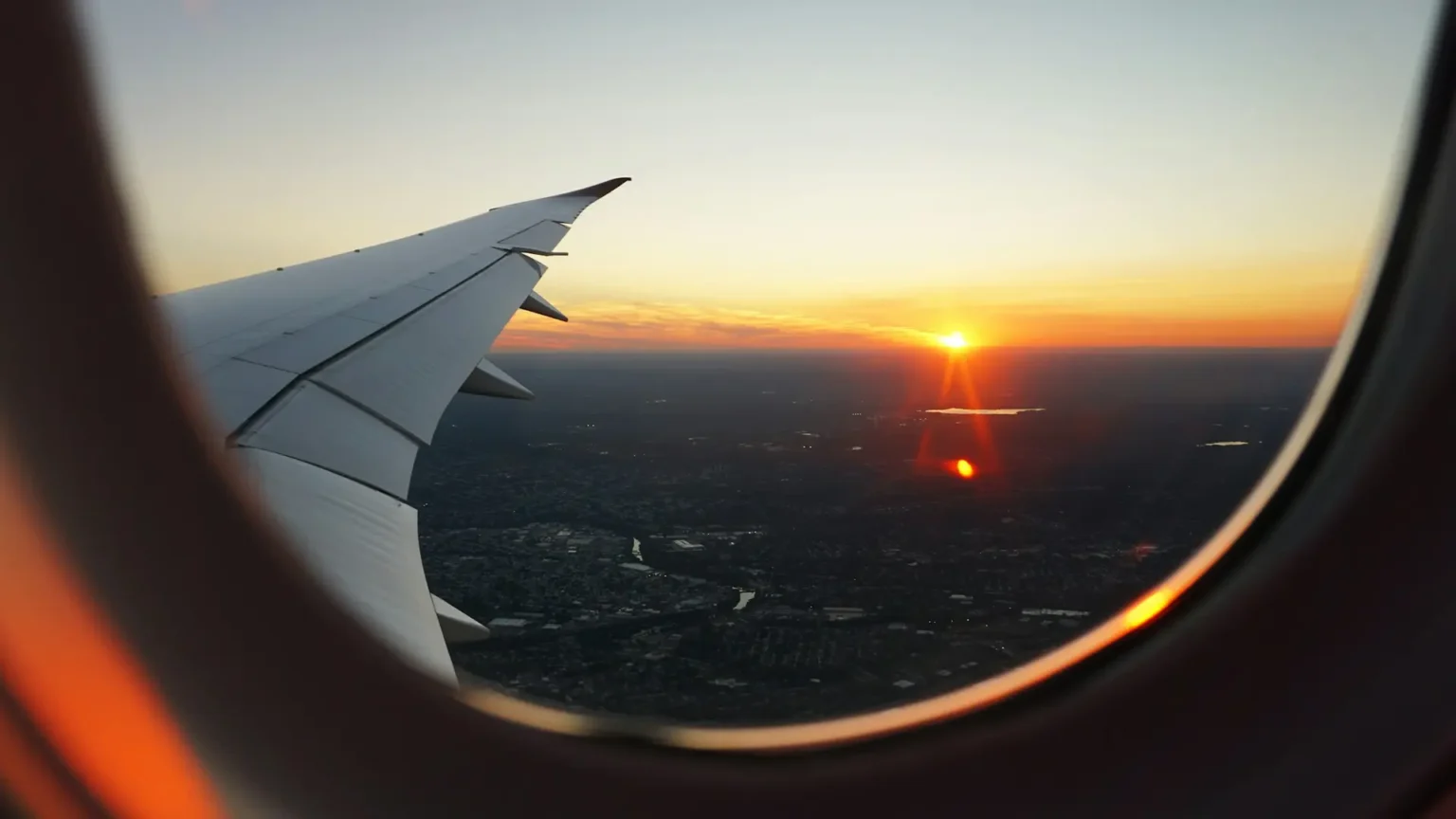
Not long ago, in-flight Wi-Fi meant a slow, overpriced connection that could just about load an email. Passengers paid $20 or more for a single flight and then watched a progress bar crawl. Today a growing list of airlines hands out Wi-Fi at no cost, and on the best of them it’s fast enough to stream a series, join a work chat, or keep a family group text going from takeoff to touchdown.
But “free Wi-Fi” is one of the most misleading phrases in travel. On some airlines it really is free for everyone, with no account and no catch. On others it’s free only if you’ve joined a free loyalty program. On still others it’s free only on certain aircraft, or only for text messaging, or only for a limited number of minutes. Two passengers on the same route, on the same day, can have completely different experiences.
This guide cuts through the confusion. It ranks 10 airlines with the best free in-flight Wi-Fi in October 2026, and for each one it explains:
- who actually qualifies for the free service,
- which aircraft and routes have it (and which don’t),
- what technology powers it,
- what you can and can’t do online, and
- how to connect and what to do before you fly.
It also covers honorable mentions, a practical checklist for confirming your flight has free Wi-Fi before you book, and an FAQ. Rollouts are moving quickly, so every claim below reflects the most recent airline announcements and reporting available at the time of writing. Verify the details for your specific flight before you travel.
The Short Answer: Our Top 10 at a Glance
| Rank | Airline | Who gets it free | Coverage | Main technology | Best for |
| 1 | JetBlue | Everyone, no account needed | Every flight, including transatlantic (with a few exceptions outside the continental US) | Fly-Fi (satellite) | Simplicity and certainty |
| 2 | Delta Air Lines | SkyMiles members (free to join) | 1,200+ aircraft, domestic and many international routes | Delta Sync (Viasat and others) | Frequent flyers who want reliable coverage |
| 3 | Qatar Airways | Privilege Club members (free to join) | All 777s, A350s, and 787-8s, with 787-9s in progress | Starlink | Long-haul trips through Doha |
| 4 | Emirates | Everyone on Starlink aircraft | 53 of 232 jets by mid-September 2026, expanding | Starlink | Free for all passengers, in every cabin |
| 5 | United Airlines | MileagePlus members (free to join) | Starlink aircraft only: about 640 aircraft and 47% of daily flights | Starlink | US domestic and regional flying |
| 6 | Air France | Flying Blue members (free to join) | Around 60% of the fleet (mid-2026) | Starlink | Transatlantic and Paris-based long-haul |
| 7 | Virgin Atlantic | Flying Club members (free to join) | All A350s, with 787s next | Starlink | London to the US |
| 8 | American Airlines | AAdvantage members (free to join) | All narrowbodies, newer 787s, most regional jets | Viasat and Intelsat | US domestic flying |
| 9 | Southwest Airlines | Rapid Rewards members (free to join) | Wi-Fi-equipped aircraft, with a Starlink rollout underway | Mixed, with Starlink arriving | Budget-friendly US travel |
| 10 | Aer Lingus | Everyone, no account needed | All 14 transatlantic A321LR/XLR jets, plus a growing number of A330s | Starlink | Ireland and North America |
Rankings reflect our editorial judgment, weighing who qualifies, how much of the fleet is covered, the technology behind the service, and what you can do online. Rollouts change monthly.
Why Free Wi-Fi Suddenly Became the Norm
Two forces explain why this perk has spread so quickly.
Force 1: Satellite technology got dramatically better
Most older in-flight Wi-Fi relied on geostationary satellites parked about 35,786 km above the equator. That huge distance creates lag. Every request has to travel up to the satellite and back down, and a 2025 academic study of in-flight connections reported latency of more than 700 milliseconds on those older systems.
Low-Earth-orbit (LEO) networks such as Starlink fly much closer, at roughly 500 km. The same study measured about 50 milliseconds of latency and a median download speed of about 64 Mbps on its own Starlink flights, and it streamed 4K video without buffering.
Here is what that difference means in simple numbers:
700 ms ÷ 50 ms = 14 times lower latency
Low latency is the reason video calls, fast page loads, and online gaming feel normal on a plane instead of painful. Industry rankings of in-flight Wi-Fi in 2026 cite peak speeds on Starlink-equipped aircraft approaching 220 Mbps, though real-world speeds vary with the number of passengers online.
Starlink isn’t the only upgrade. Viasat’s newer satellites power much of the free service at Delta and JetBlue, and Intelsat supports parts of American’s network. Amazon’s Leo satellite network is next in line: Delta has announced plans to equip about 500 aircraft with it starting in 2028, and JetBlue has said it will partner with Amazon Leo from 2027, while promising that Wi-Fi will stay free for everyone.
Force 2: The login is worth more than the fee
Airlines have realized that the real value of a free Wi-Fi session is the account you use to log in. Loyalty programs are among the most valuable assets an airline owns, and free Wi-Fi is a powerful incentive to join. American Airlines reported that AAdvantage sign-ups were up around 30% year over year in the same year it made Wi-Fi free for members.
Telecom sponsors also help foot the bill. T-Mobile backs the free service at Delta, Southwest, Alaska, and Hawaiian. AT&T sponsors American’s. You do not need to be a customer of the sponsoring carrier to use it.
The Three Kinds of “Free” Wi-Fi
Before comparing airlines, it helps to understand the three different meanings of “free.”
1. Free for everyone. You connect, maybe watch a short ad or accept terms, and you’re online. JetBlue and Aer Lingus work this way, as does Emirates on its Starlink aircraft.
2. Free with a free loyalty account. You need a frequent flyer number, but joining costs nothing and the basic membership level qualifies. Delta, United, American, Southwest, Qatar Airways, Air France and Virgin Atlantic all work this way. Joining before you fly is smart, because signing up over a slow connection mid-flight is a hassle.
3. Free, but only a slice. Some airlines give away text messaging only (WhatsApp, iMessage, and similar), a short free window, or full access only in premium cabins or to elite members. This is common among airlines that haven’t fully upgraded their systems.
A caution about “Starlink”: Starlink doesn’t automatically mean free. The airline’s commercial deal decides the price, not the satellite. Some airlines with Starlink still charge economy passengers.
How We Ranked the Airlines
We weighed five factors:
- Access. How easy is it to qualify? Free for everyone beats free with a login, which beats free for premium cabins only.
- Coverage. What share of the fleet and which routes have the free service? A great product on 10% of the fleet is hard to count on.
- Technology. Is the system fast and low-latency enough for streaming and video calls?
- Usability. Can you stream? Are calls allowed? Is the login painless?
- Long-haul reach. Does the service extend to international and long-haul flights, where connectivity matters most?
An important caveat: coverage is changing fast. An airline that ranks lower today because only part of its fleet is equipped may jump up the list within a year.
1. JetBlue: Free for Everyone, on Every Flight
Who gets it free: Every passenger
Account needed: No
Technology: Fly-Fi satellite Wi-Fi
Streaming: Allowed
The verdict
JetBlue is the simplest answer to the question “which airline has free Wi-Fi?” It offers Fly-Fi to every passenger on every flight, with no loyalty account, no credit card, and no T-Mobile plan required. The airline says it is still the only major US carrier giving free Wi-Fi to everyone on every plane. That includes transatlantic flights.
How it works
Connect to the Fly-Fi network, open the Fly-Fi portal in your browser, watch a short ad from one of JetBlue’s partners, and log in either as a guest or with a TrueBlue account. The ad is the price of admission, and it’s brief.
What to know
- Streaming is allowed, which makes JetBlue a favorite for travelers who want to watch video.
- International coverage varies. JetBlue notes that some flights outside the continental US may not have service, with Europe and the UK as exceptions. If you’re headed to the Caribbean or Latin America, download a backup before you fly.
- A future upgrade is planned. JetBlue has said it will partner with Amazon Leo starting in 2027, and that the service will remain free for everyone.
Who should choose JetBlue?
- Families and groups who want everyone connected without anyone signing up for anything.
- Travelers who don’t fly one airline often enough to justify a loyalty account.
- Passengers on routes such as New York to Los Angeles, where JetBlue competes with Delta and American.
Pros and cons
| Pros | Cons |
| Free for everyone, every flight | Short partner ad before connecting |
| No account or login barrier | Some flights outside the continental US may lack service |
| Streaming allowed | Smaller route network than the giants |
| Works on transatlantic flights | Not yet on Starlink-class technology (an upgrade is planned for 2027) |
Real-numbers example: Suppose a family of four flies round trip from New York to Los Angeles, which is four flights in total counting each leg per person. On an airline charging $8 per device per flight, if each person connects one device, that’s $8 × 4 people × 2 flights = $64. On JetBlue, it’s $0.
2. Delta Air Lines: The Easiest Free Wi-Fi on a Major Carrier
Who gets it free: SkyMiles members (free to join)
Technology: Delta Sync, with Viasat and other satellite providers
Sponsor: T-Mobile
The verdict
Delta’s approach is one of the most convenient among the big US airlines. Anyone can join SkyMiles for free, and a basic membership unlocks complimentary Wi-Fi across a huge share of the fleet. Delta says it has equipped more than 1,200 aircraft since 2023 and has logged more than 160 million sessions.
Where it works
- Most domestic flights
- International routes to Europe, Latin America, Israel and Africa
- Messaging is free on all Wi-Fi-equipped flights
Where it doesn’t (yet)
The service is still rolling out on Delta Connection regional flights and on the Boeing 717. Delta’s own aircraft list marks select 717s, CRJ-700s, CRJ-900s, ERJ-170s and ERJ-175s as paid Wi-Fi. Flights to Asia and Australia have been promised, but as of late September 2026, free Wi-Fi on those routes had not been confirmed as live.
How to connect
Turn on airplane mode and then switch Wi-Fi back on, choose the DeltaWiFi.com network, and log in with your SkyMiles number. If the sign-in page doesn’t appear, type DeltaWiFi.com into your browser. You can sign up for SkyMiles on board if you haven’t joined.
On aircraft where Wi-Fi still costs money, Delta sells a Flight Pass.
Delta makes it easy to know in advance
Look for a “Fast, Free Wi-Fi for SkyMiles Members” badge in delta.com search results. Delta also mentions Wi-Fi in pre-flight emails and places a decal near the boarding door.
What to know
- Voice and video calls aren’t allowed on Delta’s Wi-Fi.
- You can connect as many devices as you like, but each one must log in.
- Delta plans to add Amazon Leo to about 500 aircraft from 2028. The service is expected to stay free for SkyMiles members.
Who should choose Delta?
- Frequent domestic flyers who want a dependable connection.
- Travelers to Europe and Latin America who want free Wi-Fi on a major US carrier.
- Anyone who already holds a SkyMiles account.
Pros and cons
| Pros | Cons |
| Free for all SkyMiles members, and joining is free | Some regional jets and 717s still charge |
| Huge fleet coverage | Asia and Australia flights not confirmed |
| Messaging free on all Wi-Fi flights | No voice or video calls |
| Clear signposting before you fly | Requires logging in on each device |
3. Qatar Airways: The Long-Haul Leader
Who gets it free: Privilege Club members (free to join); everyone else gets 45 minutes
Technology: Starlink
The verdict
For long-haul international travelers, Qatar Airways is one of the best choices in the world. It was the first airline in its region to roll out Starlink and is further along than most. All of its Boeing 777s, all of its Airbus A350s, and all of its 787-8s have Starlink. The first 787-9 was fitted in August 2026, and the airline plans to complete the rest by the end of the year.
Who qualifies
Privilege Club members enjoy the whole flight free. Non-members receive 45 minutes, which is long enough to sign up for a free membership and continue. Qatar Airways has also made some routes free for everyone, including flights between Doha and mainland China, Hong Kong, Tokyo Narita and Osaka.
Where it doesn’t work
The Airbus A380 doesn’t have Starlink, nor do the older A330s and a few leased 777s that came from other airlines. The A380 still flies some of Doha’s busiest routes, including London, Paris and Bangkok, so check your aircraft before you book if Wi-Fi is important.
Why it ranks so high
Doha is a connecting hub for travelers headed between Europe, Africa, Asia and Australia. On long itineraries that include two or three flights, having free Starlink on the majority of each leg makes a big difference. Combined with the quality of its Qsuite business class, Qatar is a strong pick for connected long-haul travel.
Tips
- Join Privilege Club before departure so you’re not stuck signing up in the 45-minute window.
- If you’re traveling between Europe and Asia via Doha, check each leg individually, since different legs can be flown on different aircraft types.
Pros and cons
| Pros | Cons |
| Starlink on nearly all widebody types except the A380 | Login required for the full flight |
| Free on all flights for members, and joining is free | A380 and older A330s lack Starlink |
| Free for everyone on selected Asian routes | 787-9 rollout still in progress |
4. Emirates: Free for Everyone, One Jet at a Time
Who gets it free: Every passenger, in every cabin, on Starlink aircraft
Account needed: No
Technology: Starlink
The verdict
On paper, Emirates offers the most generous version of free Wi-Fi in the industry: every passenger, every cabin, one click, and no Skywards login. The catch is coverage. The airline is installing Starlink across its entire fleet of 232 Boeing 777s and Airbus A380s, but the installation is happening gradually.
The rollout in numbers
- Mid-May 2026: 33 aircraft
- Mid-September 2026: 53 aircraft
- Target by end of 2026: around 150 aircraft
- Target for the full fleet: mid-2027
At 53 of 232, that means roughly 23% of the relevant fleet had Starlink in mid-September:
53 ÷ 232 = 22.8%
So on most Emirates flights today, you are still on the older system.
What happens on aircraft without Starlink
The older rules apply:
- Skywards members in Economy and Premium Economy get free unlimited chat.
- Skywards members in First and Business get free full Wi-Fi, as do Platinum members in any cabin.
- Everyone else pays, with chat plans reported at about USD 2.99 to 5.99 and full internet at about USD 9.99 to 19.99, depending on flight length.
“Chat” means text-based messaging apps such as WhatsApp, iMessage, Facebook Messenger, WeChat, Line and Viber. Browsers and social media apps won’t work on a chat-only plan.
Looking ahead
Emirates’ newer Airbus A350s use a different system for now, though the airline is reported to be moving them to Starlink as well.
Tips
- On long Emirates routes, check whether your specific aircraft has been upgraded. The tracking sites listed later in this guide can help.
- Join Skywards for free so you have a fallback if your plane isn’t one of the upgraded ones.
Pros and cons
| Pros | Cons |
| Free for all passengers on Starlink jets, no login | Only about a quarter of the fleet had it in September |
| Every cabin included | Older aircraft use restrictive chat-only free tiers |
| Starlink speeds suit streaming and browsing | Paid plans can be pricey |
| Rapid expansion underway | A350s on a different system for now |
5. United Airlines: Starlink at Scale, With One Big Condition
Who gets it free: MileagePlus members (free to join)
Technology: Starlink
Condition: Only on Starlink-equipped aircraft
The verdict
United is rapidly installing Starlink across its fleet, and the free service is excellent when you’re on the right plane. The airline said on October 15, 2026, that Starlink was live on more than 635 aircraft and nearly half of its daily departures. Its tracker showed 640 aircraft and about 47% of daily flights on October 16. United’s target is to finish installations by the end of 2027.
Regional jets lead the way
The rollout began with regional aircraft, which means a lot of short US flights now have fast, free Wi-Fi. Mainline aircraft are catching up. United flew its first widebody with Starlink, a Boeing 777-200, between Newark and London in June 2026, and about 60 widebodies were planned by the end of the year.
What it costs when there’s no Starlink
On US domestic and short-haul international flights without Starlink, Wi-Fi costs $8 (or 800 miles) for MileagePlus members and $10 for everyone else. Miles can’t be used for Wi-Fi on United’s regional E175, E170, CRJ 550, and CRJ 700 aircraft. Long-haul prices vary by route and flight length.
Free messaging helps
Even when you’re not on a Starlink aircraft, United lets you use messaging apps such as iMessage, WhatsApp, and Messages by Google free of charge, plus the United app and entertainment.
How to check your flight
United runs a Starlink tracker. Enter the date and flight number within three days of departure to see whether your flight has it. United also flags Starlink flights in pre-flight emails, texts, and the flight status page in its app. Aircraft assignments are typically confirmed within 24 hours of departure and can still change.
How to connect
Download the United app before boarding. On your device, turn off iCloud Private Relay if you use it, then go to unitedwifi.com. Voice and video calls aren’t supported.
Pros and cons
| Pros | Cons |
| Starlink speeds and low latency | Free only on Starlink-equipped planes |
| Rapid rollout: nearly half of daily flights | You can’t be sure of your aircraft until close to departure |
| Free messaging even on non-Starlink flights | Paid Wi-Fi on other flights ($8 or $10) |
| Clear tracker tool | No voice or video calls |
Real-numbers example: On a United flight without Starlink, a non-member pays $10 per flight. A MileagePlus member pays $8 (or 800 miles). If you take 12 United flights a year and half lack Starlink, that’s six paid flights: 6 × $10 = $60 for non-members. Joining MileagePlus is free and reduces that to $48, and it makes the Starlink flights free.
6. Air France: Europe’s Starlink Frontrunner
Who gets it free: Flying Blue members (free to join)
Technology: Starlink
The verdict
Among the big European carriers, Air France is the furthest ahead on free, fast Wi-Fi. By June 2026, around 60% of its fleet offered free Starlink to Flying Blue members. That includes about 90% of its Boeing 777-300ERs and 73% of its Airbus A350s, the aircraft that handle many of its long-haul routes.
What’s next
The airline expects most of the remaining aircraft to be fitted by the end of 2026. Older aircraft types scheduled to retire in 2027 won’t receive the upgrade.
Why it’s a smart choice
If you’re flying between Paris and New York, São Paulo, or other long-haul destinations, Air France’s coverage on its largest widebodies is among the best in Europe. Flying Blue is free to join, and joining gets you into the free Wi-Fi.
Tips
- Sign up for Flying Blue before your flight.
- For transatlantic flights, compare Air France’s 777-300ER with JetBlue’s free-for-all service from Paris if you’d rather not sign in.
- If you’re flying with its Dutch sister airline KLM, be aware that the rules differ: KLM offers free Wi-Fi to Flying Blue members on European flights, but on long-haul routes only free messaging is available.
Pros and cons
| Pros | Cons |
| Starlink on around 60% of the fleet and growing | Requires Flying Blue login |
| High coverage on 777-300ERs and A350s | Aircraft retiring in 2027 won’t be upgraded |
| Most of the rest due by end of 2026 | KLM’s long-haul offer is messaging only |
7. Virgin Atlantic: A Clean Sweep on the A350
Who gets it free: Flying Club members (free to join)
Technology: Starlink
The verdict
Virgin Atlantic has equipped every one of its Airbus A350s with free Starlink Wi-Fi for Flying Club members, and its Boeing 787s are next in line. It launched the service on the London to New York route, one of the world’s busiest long-haul routes, which makes it an easy choice for travelers on that corridor.
The catch
Its Airbus A330-300s won’t get Starlink, so it’s worth checking which aircraft type your flight uses.
Why it’s a good pick
Virgin Atlantic’s advantage is consistency: if you’re on an A350, you know you’re getting free Starlink. Flying Club is free to join, and a basic membership is all you need.
London to New York: a connected corridor
London to New York is among the best-served long-haul routes for free Wi-Fi. Besides Virgin Atlantic’s A350, JetBlue’s free-for-all service operates from Heathrow on its A321LR aircraft, and Delta offers free Wi-Fi to SkyMiles members across the Atlantic. British Airways, by contrast, is a weaker choice for now, since its Starlink aircraft are flying other routes, and most of its New York flights still charge.
Pros and cons
| Pros | Cons |
| Every A350 has Starlink | A330-300s won’t get it |
| Free for Flying Club members | 787 rollout still to come |
| Strong coverage on London–US routes | Login required |
8. American Airlines: Free for AAdvantage Members on Most Domestic Flights
Who gets it free: AAdvantage members (free to join)
Technology: Viasat and Intelsat
Sponsor: AT&T
The verdict
American was one of the last major US airlines to give away Wi-Fi, but in January 2026 it began offering free high-speed Wi-Fi to AAdvantage members. Coverage is broad on domestic flights: all of its single-aisle Airbus A319, A320 and A321 jets, all of its Boeing 737s, most regional aircraft, and its newer 787-8 and 787-9 widebodies.
The widebody gap
The significant weakness is on long-haul. Most of American’s Boeing 777s and its older 787s aren’t included. In August 2026, the airline began flying retrofitted 777-300ERs with free Viasat Wi-Fi, so the gap is closing. For now, if you’re on a long international flight, check your aircraft.
A free entertainment library
On most flights, American offers a free library of movies and shows that you can stream to your own device. That can be a useful substitute when the connection is slow or when you don’t want to browse online.
How to connect
Turn on airplane mode, then Wi-Fi. Connect to the aainflight.com network, open aainflight.com if you aren’t redirected, choose “Free Wi-Fi,” and log in with your AAdvantage number. The other button leads to paid options.
Pros and cons
| Pros | Cons |
| Broad domestic coverage | Many 777s and older 787s excluded |
| Free to AAdvantage members | Not free for non-members |
| Free streaming library on most flights | Not Starlink-class on most aircraft |
| Sign up on board if needed | Wi-Fi may be slower on busy flights |
9. Southwest Airlines: Free for Rapid Rewards Members
Who gets it free: Rapid Rewards members (free to join, even on board)
Sponsor: T-Mobile
Technology: Mixed, with Starlink arriving
The verdict
Southwest made Wi-Fi free for Rapid Rewards members starting October 24, 2025. Non-members pay $8 per device from takeoff to landing, where Wi-Fi is available. The service runs on Wi-Fi-equipped aircraft, which cover most of the fleet.
The Starlink upgrade
Southwest began rolling out Starlink in June 2026, aiming for more than 300 jets by the end of the year and the full fleet by fall 2027. Until a plane is upgraded, the free service runs on the older, slower system.
How to make it smoother
- Add your Rapid Rewards number to the reservation before your flight. Southwest says your confirmation number can then get you online.
- Download and activate messaging apps such as iMessage or WhatsApp before you connect. Southwest says the apps must be set up in advance.
- On Starlink planes, the Southwest app labels your trip “WiFi Powered by Starlink,” and you connect to the Southwest WiFi network and open SouthwestWiFi.com.
A limitation on streaming content
Starlink-equipped Southwest planes don’t offer movies through the onboard portal. On other Wi-Fi flights, licensing limits may mean free movies and TV aren’t available. Southwest’s advice is to download content before you fly.
Pros and cons
| Pros | Cons |
| Free for Rapid Rewards members; join on board | Older system on planes awaiting Starlink |
| Low-cost carrier with free Wi-Fi | Non-members pay $8 per device |
| Starlink rollout under way | Onboard movies limited on Starlink planes |
| Messaging supported | Aircraft changes can affect Wi-Fi availability |
10. Aer Lingus: Free Starlink on Transatlantic Flights
Who gets it free: Every passenger
Account needed: No
Technology: Starlink
The verdict
Aer Lingus gives free Starlink Wi-Fi to everyone on its transatlantic Airbus A321LR and A321XLR aircraft, with no login required. All 14 of those jets have it. The airline is also adding it to its A330s, with the first installation flying in March 2026 and the rest due by the end of 2026.
Why it’s a strong choice
Few airlines combine “free for everyone” with Starlink speeds on long-haul routes. If you’re flying between Ireland and North America, Aer Lingus is one of the best options available, and you don’t need to join any program. That makes it a good fit for occasional travelers, families, and groups.
Tips
- Confirm the aircraft type when booking. The A321LR and XLR aircraft fly many of the airline’s transatlantic routes, but some flights use A330s that may not yet be upgraded.
- Download entertainment as a backup in case of an aircraft swap.
Pros and cons
| Pros | Cons |
| Free for everyone, no login | Some A330s still awaiting upgrade |
| Starlink speeds | Smaller route network |
| All 14 transatlantic A321LR/XLRs equipped | Aircraft swaps can affect your flight |
Honorable Mentions
Several other airlines offer excellent free Wi-Fi in specific situations.
Alaska Airlines and Hawaiian Airlines
Both now share the free Atmos Rewards program, and members get free Wi-Fi on Starlink-equipped aircraft, sponsored by T-Mobile. Joining is free and open to all ages, and guests under 18 can connect by entering reservation details. Alaska’s regional Embraer 175 fleet has Starlink, and installs are underway on its Boeing 737s, with the rest of the mainline fleet expected by 2027. The combined tracker showed 38% coverage in its September 25, 2026 update. Hawaiian’s Airbus A330s and A321neos have Starlink, but its Boeing 787s don’t yet, and its inter-island flights have no Wi-Fi at all. Older guides often say Hawaiian’s Wi-Fi is open to everyone, which is no longer true: it now requires a free Atmos Rewards account.
Qantas
Qantas offers free Wi-Fi to everyone, with no login, on domestic and trans-Tasman flights using 737s, A330s, A220s and A321XLRs, plus 11 of its 787s. Rollout across the rest of its international fleet has slipped to 2027.
Air New Zealand
Free for everyone on its international 777-300ER, 787-9, A320neo and A321neo aircraft, after a quick registration. It’s generally not available on domestic flights, and video streaming is restricted.
Malaysia Airlines
Free for all passengers on its A350s, A330-900s, 737-8s and some older A330s, regardless of cabin or loyalty tier. Video streaming is blocked.
airBaltic
Free for everyone on its whole Airbus A220 fleet, with no login. A great choice for short-haul European flying.
Iberia
Rolling out free Starlink for everyone, with no login, since June 2026. Only a small number of aircraft are equipped so far, but its first aircraft flew the Madrid to São Paulo route.
Korean Air and Asiana
Switched on free Starlink in all cabins in mid-September 2026, though only 14 aircraft are equipped so far.
SAS
Free Starlink for EuroBonus members on all its A320neos.
Japan Airlines and ANA
Both offer free Wi-Fi to everyone on domestic Japanese flights. On international flights, JAL gives economy passengers one free hour as part of a promotion running to March 2027, while ANA’s international economy offer is messaging only.
Singapore Airlines and Cathay Pacific
Singapore Airlines offers free Wi-Fi to KrisFlyer members, but economy gets only one device and modest speeds. Starlink is expected from 2027 on its long-haul A350s and A380s. Cathay Pacific offers free Wi-Fi to First and Business passengers, to Premium Economy for members, and to Gold and Diamond members in any cabin.
Airlines With No Wi-Fi or Limited Wi-Fi
If connectivity matters, these are worth knowing about:
- Ryanair and easyJet don’t offer Wi-Fi at all.
- Frontier has no Wi-Fi, entertainment, or power outlets, but plans to begin installing Starlink in early 2027.
- Breeze offers Wi-Fi only on its A220 flights, free for cardholders of its co-branded Visa card.
- Turkish Airlines gives free messaging to Miles&Smiles members, with data allowances rising by fare and status.
Best Free Wi-Fi by Type of Traveler
| If you are… | Your best bet | Why |
| A casual flyer who doesn’t want to sign up for anything | JetBlue, Aer Lingus, Emirates (Starlink aircraft) | Free for everyone with no loyalty account |
| A frequent US domestic flyer | Delta, United (Starlink flights), American | Broad coverage and free memberships |
| Flying London to New York | Virgin Atlantic A350, JetBlue, Delta | Strongest free Wi-Fi corridor |
| Flying between Europe and Asia or Australia | Qatar Airways via Doha, Emirates on Starlink jets | Starlink on most widebodies |
| Flying Paris to the Americas | Air France 777-300ER or A350 | High Starlink coverage |
| Flying to Hawaii | Hawaiian A330 or A321neo, Delta | Starlink on many aircraft |
| Flying within Australia or across the Tasman | Qantas | Free for everyone, no login |
| Flying short-haul in Europe | airBaltic, SAS | Free Starlink on specific fleets |
How to Check Whether Your Flight Has Free Wi-Fi
Free Wi-Fi in 2026 depends on the exact aircraft, not just the airline. Here is how to improve your odds.
1. Check the aircraft type when you book
Most airline sites and Google Flights show the aircraft type. Google Flights can also display “Free Wi-Fi” or “Wi-Fi for a fee” when you expand a flight, though it won’t say whether the system is Starlink.
2. Use airline trackers
United publishes a Starlink tracker. Alaska and Hawaiian publish a combined tracker. Independent sites also match flights to equipped aircraft, though these are unofficial and should be treated as guides.
3. Check closer to departure
Airlines usually confirm the exact aircraft only a day or two before departure, and swaps can happen on the day. If you can see the tail number close to departure, you can match it against tracker data.
4. Look for signs from the airline itself
Delta shows a badge in search results and sends reminders. American suggests checking your boarding pass. Southwest’s app shows “WiFi Powered by Starlink” on equipped trips. United flags Starlink flights in emails, texts, and its app.
5. Expect swaps and keep a backup
A late aircraft change can turn a Starlink flight into a paid one. If you depend on Wi-Fi for work, download what you need before you board.
How to Connect to Free In-Flight Wi-Fi
Follow these steps for a smooth connection.
Before you leave home
- Join the airline’s loyalty program if one is required. Most take only a couple of minutes, and joining is free at Delta, American, United, Southwest, Qatar Airways, Air France, and Virgin Atlantic.
- Save your login details in a password manager.
- Download the airline’s app. Some airlines require it, and it holds your boarding pass and loyalty number.
- Add your loyalty number to your reservation. This is particularly helpful on Southwest.
- Download a backup: movies, podcasts, maps, and documents.
On the plane
- Turn on airplane mode, then switch Wi-Fi back on. Airplane mode turns off your cellular radio, but you can re-enable Wi-Fi.
- Connect to the airline’s network. Look for the network name given by the airline, such as Fly-Fi, DeltaWiFi, aainflight, or unitedwifi.
- Open a browser. The login page usually pops up automatically. If it doesn’t, try visiting the airline’s Wi-Fi address or any plain HTTP site.
- Log in with your loyalty number or choose guest access where offered.
- Switch on a VPN after logging in, if you use one. A VPN that’s already running can block the login page.
What You Can (and Can’t) Do on Free Plane Wi-Fi
Streaming
On Starlink and the newer Viasat systems, streaming is generally allowed. JetBlue, Delta, American, and United on Starlink all permit it. Some free tiers block video, including those of Air New Zealand and Malaysia Airlines, and messaging-only tiers won’t load video at all.
For context, 4K streaming is commonly cited as needing somewhere in the range of 15 to 25 Mbps. A median of about 64 Mbps on Starlink flights, as measured in the 2025 study, leaves headroom for one or more streams. Speeds on a full plane may be lower, because the bandwidth is shared.
Calls
Voice and video calls are usually blocked. Delta, United, and Korean Air don’t allow them. British Airways is an exception on its Starlink aircraft, allowing quiet calls with headphones.
Messaging
Text messaging over Wi-Fi works almost everywhere, and many airlines offer free messaging even when full Wi-Fi costs money.
Blocked sites
Some airline networks filter certain websites. If one site won’t load while others work, it may be blocked on purpose.
Staying Safe on In-Flight Wi-Fi
Plane Wi-Fi is a shared public network, so treat it as such.
- Stick to HTTPS websites. Most major sites encrypt your data.
- Use two-factor authentication on important accounts.
- Log in only through the airline’s own portal. Be wary of networks with similar names.
- Consider a VPN for extra privacy, connected after you’ve logged in.
- Avoid sensitive transactions where you can, such as banking, if you’re not comfortable on a public network.
What Happens When Your Wi-Fi Fails
Even the best system can falter. Here’s your safety net:
- Download before you go. Movies, shows, music, podcasts, maps, and documents.
- Charge your devices and pack a power bank. Some airlines, like Frontier, have no power outlets.
- Use offline modes in your productivity apps.
- Keep your boarding pass saved offline.
- Have a plan for the ground. In-flight Wi-Fi stops at the gate, so consider a travel eSIM or local SIM for arrival. Your phone’s cellular data won’t work at cruising altitude, and onboard roaming services can be very expensive on your home carrier’s bill, so keep cellular data switched off until you land.
What’s Coming Next in Free In-Flight Wi-Fi
The next two years will bring significant change.
- United plans to finish installing Starlink across its fleet by the end of 2027.
- Alaska expects to complete its mainline fleet by 2027.
- Southwest expects Starlink across its fleet in fall 2027.
- Emirates aims for its full fleet of 777s and A380s by mid-2027.
- Frontier plans to start installing Starlink in early 2027.
- JetBlue will begin using Amazon Leo from 2027, and says it will remain free for everyone.
- Delta plans an initial Amazon Leo installation on 500 aircraft starting in 2028.
- Lufthansa Group plans Starlink on about 850 aircraft by 2029.
These are airlines’ own targets rather than guarantees, and schedules can slip.
Frequently Asked Questions
Which airline has the best free Wi-Fi overall?
For simplicity, JetBlue is hard to beat: free for everyone, on every flight, with no account required. For long-haul quality, Qatar Airways and Emirates (on Starlink jets) are among the strongest. For the largest US coverage with a free membership, Delta is a leader.
Do I need to be a frequent flyer to get free Wi-Fi?
No. You need an account, not status. Programs like SkyMiles, AAdvantage, MileagePlus, Rapid Rewards, Flying Blue, Flying Club, and Privilege Club are free to join, and the basic membership level is enough for free Wi-Fi.
Do I need to be a T-Mobile customer?
No. T-Mobile sponsors free Wi-Fi at several US airlines, but you don’t need to be a T-Mobile customer. You do need to be a member of the airline’s loyalty program.
Is Starlink Wi-Fi always free?
No. Whether Starlink is free depends on the airline’s commercial deal, not the satellite service. Some airlines with Starlink still charge economy passengers.
Can I stream Netflix or YouTube on free plane Wi-Fi?
Generally yes on Starlink and newer Viasat systems, though some free tiers block video, and messaging-only tiers won’t load it. Download shows before you fly as a backup.
Can I make calls over in-flight Wi-Fi?
Usually not. Most airlines block voice and video calls. Text messaging works almost everywhere.
Why is my flight’s Wi-Fi slow if the airline has Starlink?
The aircraft may not have Starlink, even if others in the fleet do. Speeds can also drop when many passengers are online at once.
Is United’s Wi-Fi free for everyone?
No. It’s free for MileagePlus members on Starlink-equipped flights. On other US domestic and short-haul flights, it costs $8 for members and $10 for non-members.
Does Frontier have Wi-Fi?
Not yet. Frontier plans to start installing Starlink in early 2027.
Can I use free Wi-Fi on a short regional flight?
It depends on the aircraft. Delta’s regional service is still rolling out, United’s regional jets lead its Starlink rollout, and Alaska’s regional E175 fleet has Starlink.
Is plane Wi-Fi secure?
It’s as secure as any public Wi-Fi network. Stick to HTTPS sites, use two-factor authentication, and consider a VPN after you log in.
Will my phone’s cellular data work on a plane?
No. Cellular networks on the ground don’t reach cruising altitude, and airplane mode turns off your cellular radio anyway. Onboard roaming services are billed by your home carrier and can be very expensive.
How can I find out in advance whether my flight has free Wi-Fi?
Check the aircraft type at booking, look for airline badges and emails, use tracker pages such as United’s, and recheck close to departure, since aircraft assignments can change.
Final Thoughts
Free in-flight Wi-Fi has gone from a rare perk to a competitive necessity, and the best airlines now offer connections that feel closer to home or office internet than to the sluggish systems of a few years ago. JetBlue leads on simplicity, Delta and United on US coverage, Qatar Airways and Emirates on long-haul Starlink, and Air France, Virgin Atlantic and Aer Lingus on transatlantic connectivity.
The key lesson of 2026 is that “free” depends on three things: your account, your aircraft and your route. Join the loyalty program before you fly, check your aircraft close to departure, and download a backup in case the connection falters. Do that, and you’ll spend more of your next flight online and less of it staring at a loading screen.


